A long flight, a weak hotel connection or a classroom without Wi-Fi can turn a simple video into a frustrating buffering wheel. That is why many viewers look for a ytmp4 tool that turns an online video into a file they can keep. This guide explains what that term means, when saving a video makes sense, and how to do it sensibly on a computer.
What YTMP4 Actually Means
The phrase is shorthand for converting a streaming video link into an MP4 file. MP4 is the most widely supported video container, so the result plays on Windows, macOS, Android, iPhones and most smart TVs without extra software.
Online converters work from a web page: you paste a link, choose a quality level and receive a file. Nothing needs to be installed, which is why this approach appeals to people who just want a quick result on a shared or work computer.
When Saving a Video Makes Sense
Offline copies solve real problems, provided the content is yours or you have permission to keep it:
-
Travel: a lecture or tutorial that plays smoothly on a plane or train.
-
Presentations: a clip that must run even if the venue network fails.
-
Teaching: classroom material that should not depend on a live connection.
-
Your own uploads: backups of videos you created and published yourself.
-
Editing: source footage you are licensed to reuse in a project.
Steps to Download a YouTube Video on a PC
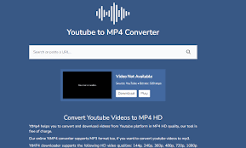
The process is short and works the same in Chrome, Edge, Firefox or Safari. To download youtube video pc files with an online tool, follow these steps:
-
Open the video you want and copy its address from the browser bar.
-
Visit the converter and paste the address into the input box.
-
Pick MP4 and a resolution that suits your screen and storage space.
-
Start the conversion and wait for the file to be prepared.
-
Save the file to a folder you will remember, then play it with any media player.
If you want a ready-made option, you can download youtube video pc files directly from a browser without registering or installing software.
Choosing Quality and Format
Higher resolution means a sharper picture and a bigger file. A clip at 360p suits a phone with limited storage, 720p works well on most laptops, and 1080p is worth choosing for a large monitor or a projector.
Check your free disk space first. A one-hour video in high quality can take over a gigabyte, so match the setting to how you will actually watch it. If you only need the spoken content, a lower resolution is usually enough.
Staying Safe and Respecting Creators
Every platform sets its own terms, and creators hold rights to their work. Save only videos you own, videos released under open licenses, or content you have permission to keep, and never republish someone else's footage as your own.
On the technical side, avoid pages that push surprise downloads, fake buttons or requests to install extensions. A trustworthy tool asks for a link and delivers a plain video file, nothing more. Scan any download with your security software if something feels off.
Final Thoughts
Saving a video for offline viewing is simple once you know the steps: copy the link, choose MP4, pick a sensible quality and store the file somewhere you can find it. Combine that routine with respect for creators' rights and a careful eye on download safety, and you will have smooth playback wherever your connection lets you down.




Share this page with your family and friends.